Enhancing Qlik Sense Experience with Advanced Extensions
Posted on February 2, 2024 | By Admin
Extensions play a crucial role in enhancing the Qlik Sense experience for business users. A well-built extension not only improves visualizations but also ensures a seamless workflow. Extensions, whether it’s for alerting or tables, must never compromise the performance. SenseOps is redefining Qlik Sense extensions, going beyond visualization to deliver a smoother, more efficient user experience.
Moving in this direction, last year SenseOps introduced key features such as App Extensions, Custom Integrations, and Code Management, which added to the delight of Qlik Sense teams in more than one way. Let’s look at some unique features that reshaped the Qlik Sense experience.
A well-optimized Qlik Sense extensions requires seamless data monitoring, cross-application integration, flexible reporting, and enhanced data visualization. However, enterprises often encounter key challenges:
In this Article
Why These Features Matter in Qlik Sense Extension
A well-optimized Qlik Sense extensions requires seamless data monitoring, cross-application integration, flexible reporting, and enhanced data visualization. However, enterprises often encounter key challenges:
Manual anomaly detection introduces latency in data monitoring, leading to delayed responses and potential data integrity issues.
Merging datasets across multiple Qlik Sense applications requires extensive scripting and custom development. Without a unified integration layer, cross-application data aggregation remains inefficient and resource-intensive.
Standard reporting frameworks lack granular control over layout, embedded components, and structured formatting.
Native Qlik Sense tables are limited in interactivity and scalability, restricting advanced formatting, on-demand data loading, and dynamic tooltips, which are essential for handling large datasets and enhancing analytical depth.
The latest SenseOps enhancements address these challenges by introducing real-time alerting, no-code UI customization, structured reporting, and interactive table features, ensuring a high-performance Qlik Sense extension.
Key Upgrades in Qlik Sense Extension
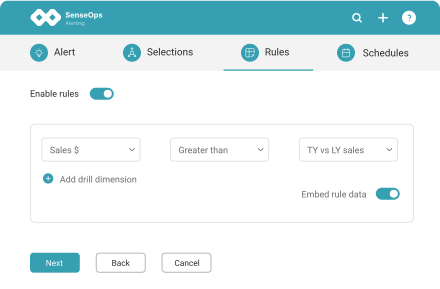
1. Alerting – Access based notifications for internal and external users
2. UI Builder – Collation of data from multiple Qlik Sense apps
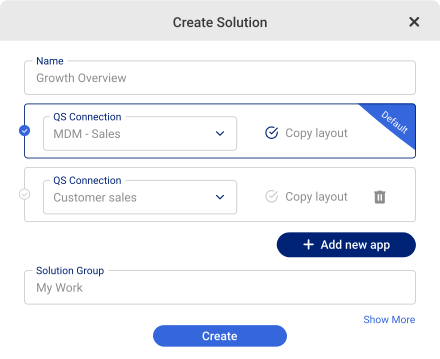
Another milestone release is in embedding with SenseOps UI Builder, a no-code user experience platform designed for Qlik Sense developers to accelerate mashup pages and fully govern page experiences when integrating Qlik dashboards on external pages. A key feature within the UI Builder release is the ability to instantly collate data from multiple Qlik Sense apps to curate or “Build Your Own Views”- in a matter of minutes .
Imagine having to bring customer or product information into an existing sales dashboard and create a branded experience for your customers, but with custom filters or views. The whole process needs design sensibilities and coding skills to come together.
UI builder unmasks the complexity behind this in 3 simple steps with a do-it-yourself experience, allowing you to:
- Instantly pull up Qlik Objects from across applications and organize them
- Control all aspects including the page layout, page structure, navigation, page elements (filters, headers, banners…), actions and over every Object
- Instantly collaborate with peers with annotations and sharing
3. Pixel Perfect Reporting

The Pixel Reporting Extension allows users to build and share pixel-perfect reports for custom needs or reporting standards in practice. Users can create an ensemble of charts, variable KPIs and custom elements including snapshots, shapes, text, web page components, logos or more within layouts of their choice and share them over.
4. Smart Table Advanced tooltips
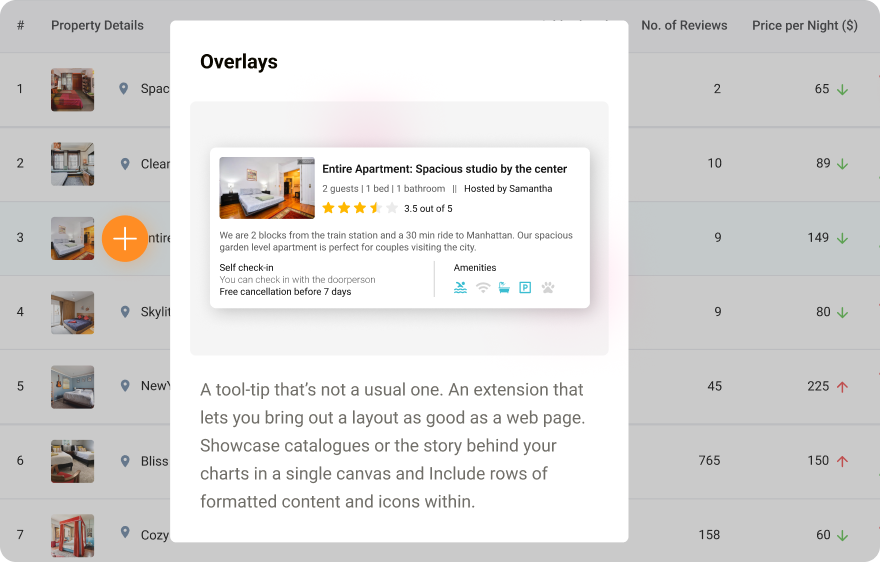
SenseOps Smart Tables is yet another extension to push boundaries in native Qlik tables and convey powerful stories with data. Users can pack more power within each column or cell with configurable mini-charts, conditional formatting, dynamic URLs, thumbnail images, icons and more. Furthermore, advanced tool-tips or overlays offer the flexibility to control media elements, container views and the complete styling enabling a more modern, refreshing look with additional data for analysis. Smart Tables can help in conveying powerful narratives with your table data or in showcasing a catalogue or in simple tables where interactions are high.
5. Chart Extensions - Elevate Your Qlik Sense Dashboards
To truly unlock the potential of Qlik Sense, organizations need more than standard visualizations. SenseOps offers a powerful suite of advanced Qlik Sense extensions designed to enhance data storytelling, usability, and interactivity.
Here are some of the most impactful SenseOps extensions:
Gantt Chart Extension
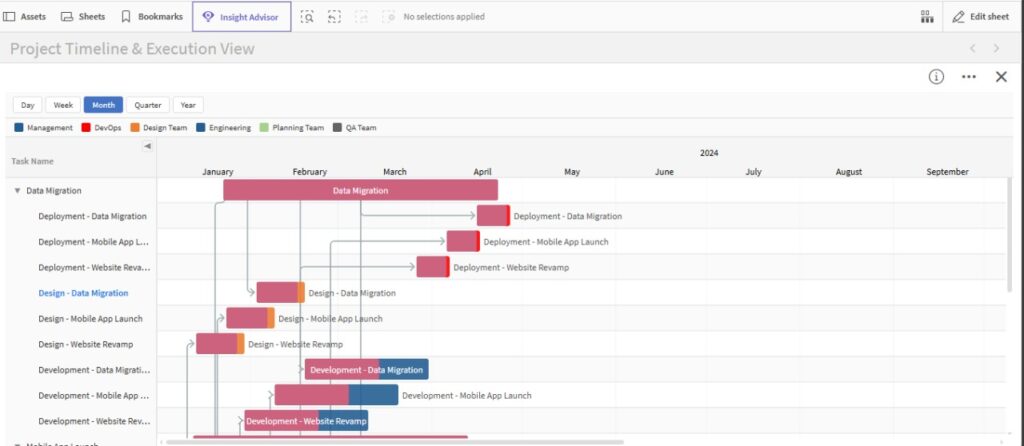
Perfect for project management and timeline visualization, the Gantt Chart extension allows users to track tasks, durations, dependencies, and progress in a visually intuitive format. It helps teams gain clarity on project timelines and improve planning efficiency.
Sankey Chart Extension
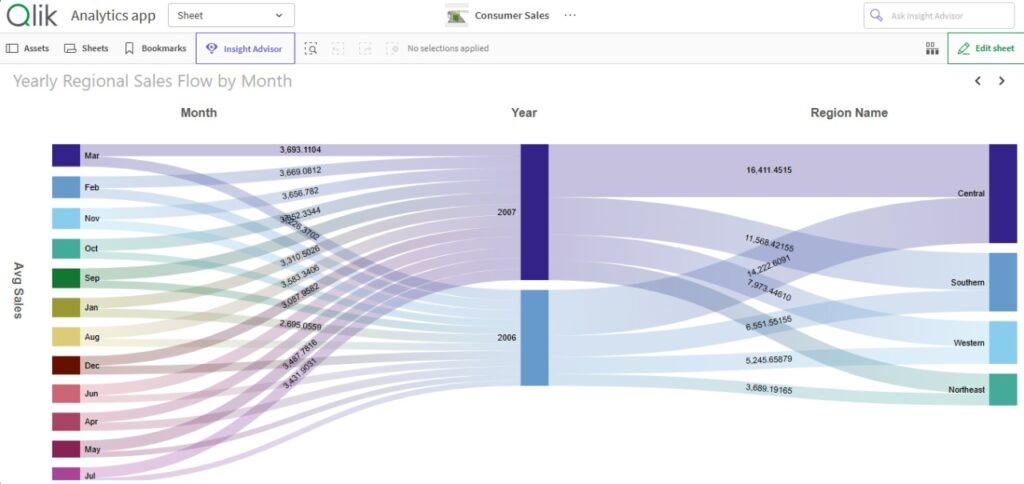
The Sankey Chart is ideal for visualizing flows and relationships between data points.
Whether it’s tracking user journeys, financial flows, or process transitions, this extension provides a clear and engaging way to understand complex data movements.
Sheet Controller Extension
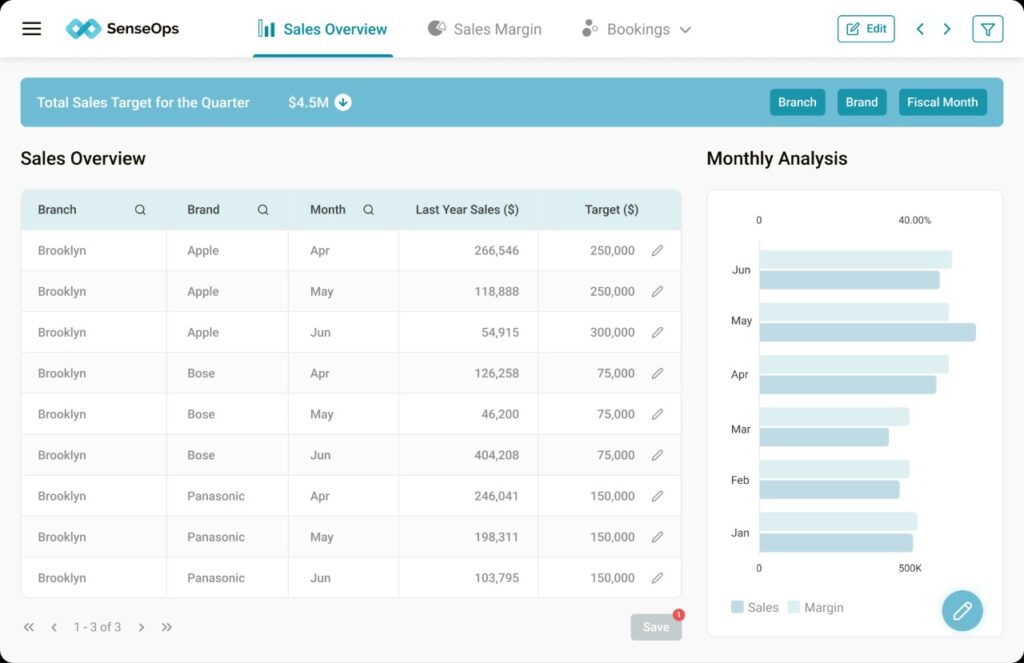
The Sheet Controller enhances dashboard navigation by enabling dynamic sheet transitions and guided storytelling. It allows users to create interactive presentations within Qlik Sense, making dashboards more intuitive and user-friendly.
In addition to these, SenseOps offers a wide range of Qlik Sense extensions, including other advanced chart extensions and UX extensions that improve dashboard design, interactivity, and user experience. These Qlik Sense extensions help businesses create more customized, visually rich, and user-friendly analytics applications.
Explore the full range of SenseOps chart extensions & UX extensions to discover how you can transform your dashboards into powerful decision-making tools.
Why Choose SenseOps Extensions?
SenseOps extensions are designed to make Qlik Sense more powerful, flexible, and easy to use. Here’s why they stand out:
Wide Range of Extensions
SenseOps offers a growing library of Qlik Sense extensions to meet different business needs, from advanced charts to useful UI and dashboard features.
High Performance
All Qlik Sense extensions are built for speed and smooth performance, even when working with large datasets.
Easy Setup
SenseOps Qlik Sense extensions are simple to install and integrate with your existing Qlik Sense environment, saving time and effort.
Reliable Support
The SenseOps team provides strong support and guidance to help you get the most out of your Qlik Sense extensions.
Easy Migration
If you’re using other Qlik Sense extensions, you can quickly switch to SenseOps with minimal disruption.
With SenseOps Qlik Sense extensions, you can enhance your dashboards and make better, faster decisions.
Future of Qlik Sense Extension
The future of the Qlik Sense extensions lies in automation, customization, and intelligence-driven decision-making. With these advancements, organizations can:
Eliminate data blind spots with AI-powered, event-driven alerting for proactive insights.
Accelerate integrations through seamless, low-code UI customization for faster CI/CD.
Ensure compliance and accuracy with automated, pixel-perfect reporting tailored to regulatory needs.
Enhance analytics efficiency with dynamic, metadata-rich tabular representations for large-scale datasets.
As Qlik Sense continues to evolve, SenseOps is driving innovation in enhancement strategies which enables businesses to scale analytics, automate workflows, and extract high-impact insights in a matter of minutes.
SenseOps is a marketplace for Qlik Sense extensions. Start your free trial today at SenseOps or contact hello@senseops.com.

